> Can you give me an individual funnel settings overview?
Step-by-Step Guide to Customizing Your Funnel
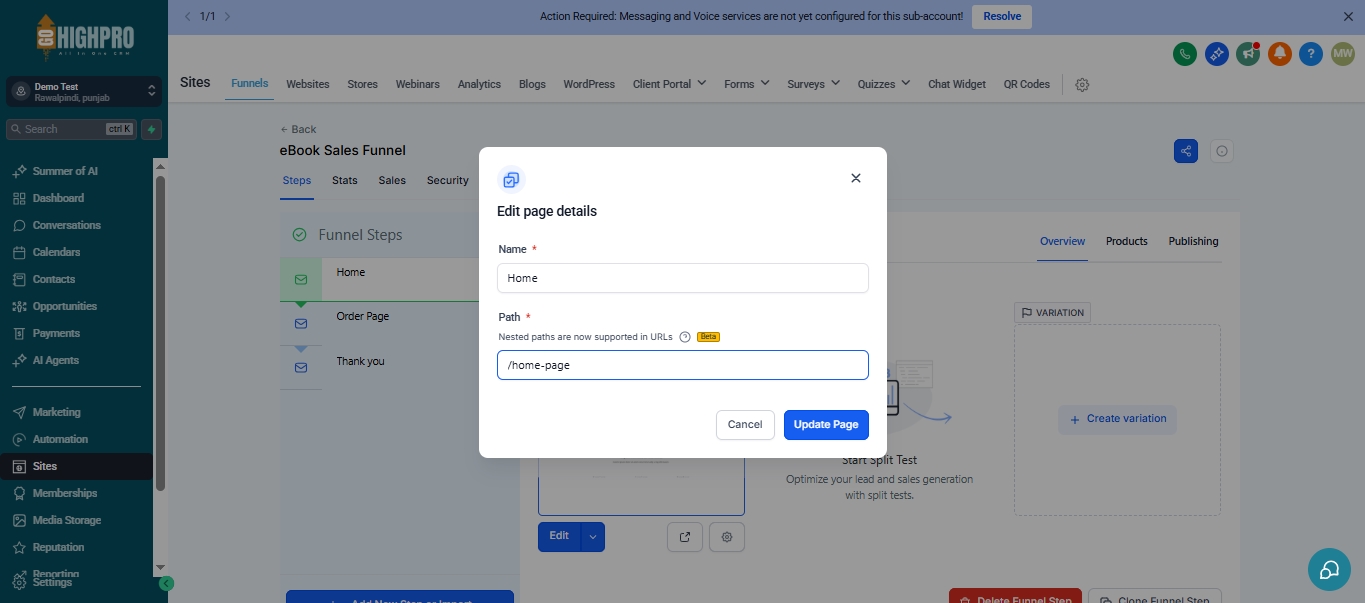
This guide will walk you through customizing a funnel you’ve already created in GoHighPRO
1. Accessing Funnel Settings
Locate the funnel you want to edit.
Click on “Settings.”
2. Renaming Your Funnel
Ensure the funnel name accurately reflects its purpose.
Edit the “Name” field.
The “Path” defines the ending part of the funnel’s URL.
Rename the path to something relevant to your lead magnet (e.g., “double-your-email-list”).
3. Setting Up Subdomains (Optional)
Subdomains allow you to have a unique URL for your funnel.
If the software hasn’t created subdomains yet, it might be because you have an existing website.
You have two options:
Edit the funnel without a subdomain until you move your entire website.
Purchase a separate domain (around $10-12) for the subdomain.
4. Adding a Favicon
A favicon is the small icon displayed next to your URL in the browser tab.
Click “Settings” again.
Go to “Media Library” and upload your favicon image.
Right-click on the uploaded image and copy the link.
Paste the link into the “Favicon URL” field in settings.
Click “Save.”
5. Managing Funnel Steps
This section shows all the steps (pages) within your funnel.
You can:
Delete unnecessary pages (don’t do this on the original template).
Reorder the pages by dragging and dropping them.
6. Cloning Funnel Steps (Optional)
This feature allows you to copy existing pages within the same funnel or to other funnels.
Click “Clone Funnel Step” to duplicate a page.
7. Customizing Step URLs
Go to “Publishing” for each step (page) in your funnel.
Edit the “Step Name” and “Step URL” to something relevant to that specific page (e.g., “lead-magnet-thank-you”).
8. Viewing Funnel Statistics (For Sales Funnels)
This feature is only available for funnels with sales pages.
Click “Stats” to see data like:
Number of page views
Unique visitors
Opt-ins (for lead magnet funnels)
Sales conversions
